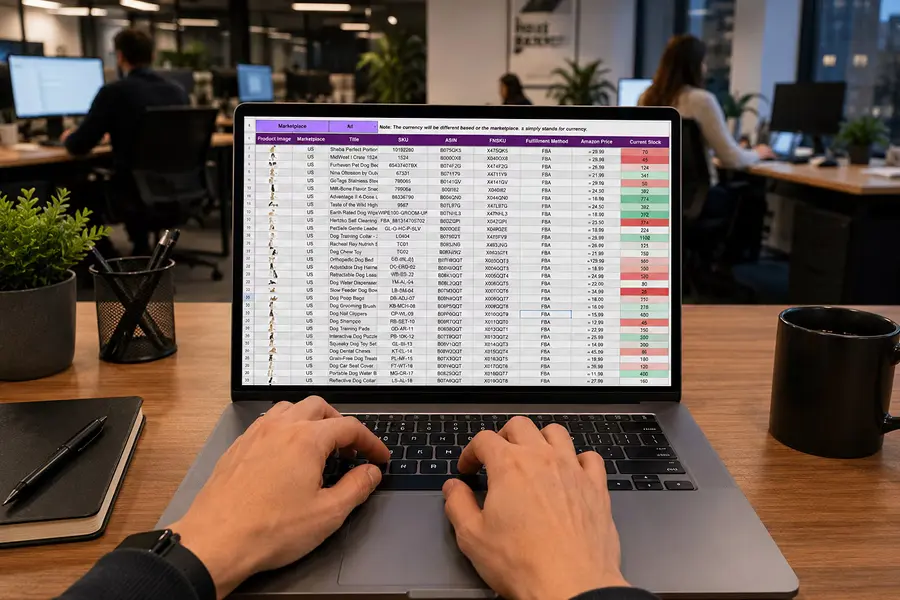
Business processes rarely become inefficient because of one enormous problem. More often, the cost builds one small step at a time. An employee enters information into one system, then copies it into another. A manager reviews something that has already been checked. A salesperson sends an email to confirm a status that should already be visible. Accounting fixes a field before an invoice can go out. Operations updates a spreadsheet because the primary system does not show what the team needs.
Each step may take only a few minutes, and individually they barely attract attention. Across hundreds or thousands of transactions, however, those extra touches can become a significant operating expense. That is why one of the simplest ways to evaluate a business process is to count how many times a person has to touch a transaction before it is finished.
What Is an Extra Touch?
A touch is any manual action required to keep a process moving. It might be entering information, reviewing a record, forwarding an email, looking something up, changing a status, approving a request, updating a spreadsheet, correcting data, or moving information from one application to another.
Some of those touches are necessary. A complex quote may legitimately require an experienced estimator. A high-dollar purchase may need management approval. Certain transactions may require review for financial, legal, or quality reasons. The problem is not human involvement itself. The problem is human involvement that exists only because the process or the software requires someone to perform work that adds little additional value.
Five Minutes Can Become a Large Expense
Suppose a company processes 200 orders per day. Each order requires an employee to manually copy customer and order information from one system into another, and the task takes about three minutes. That does not sound significant until it is multiplied by volume.
Across 200 orders, the business is spending 600 minutes, or 10 hours, every day on that one step. Over 250 working days, that becomes approximately 2,500 hours per year. At a loaded labor cost of $35 per hour, the company is spending roughly $87,500 annually moving information from one place to another.
The task did not become expensive because it was difficult. It became expensive because it happened repeatedly. This is why high-volume processes deserve particular attention. Small inefficiencies become large when they are multiplied by frequency.
Every Handoff Creates Another Opportunity for Delay
Extra touches also affect more than labor cost. Every time a transaction has to move from one person to another, there is an opportunity for it to wait.
A salesperson completes a quote and sends it to a manager for approval. The manager does not see it until later that afternoon. Once approved, someone else enters the information into the order system. Operations then reviews it before scheduling the work. Each individual task may take only a few minutes, but the entire process can take days.
The difference between work time and elapsed time matters. A quote that requires 30 minutes of actual employee effort may still take three days to reach the customer because it spends most of its life waiting between touches. Reducing unnecessary handoffs can therefore improve speed even when the amount of direct labor saved appears modest.
Duplicate Entry Is One of the Easiest Touches to Find
One of the clearest examples is re-entering information that already exists somewhere else. Customer information may begin in a CRM and then be entered into an estimating system. The same information may later be copied into scheduling software and eventually into accounting.
Each department has what it needs, but employees are serving as the integration layer. That creates labor, but it also creates another problem: every re-entry introduces the possibility that the information changes along the way.
A customer name is entered differently. A quantity is mistyped. An address is outdated. A price is copied from the wrong version of a spreadsheet. The business then pays for the original manual touch and for the additional touches required to correct the mistake.
Reviews Can Become Expensive Too
Companies often add reviews and approvals to protect themselves. That can be valuable, but review steps tend to accumulate. A mistake occurs, so a manager starts checking every transaction. A pricing issue appears, so all discounts begin requiring approval. A customer complaint leads to another verification step.
Years later, the process may contain several controls that were designed to solve problems that no longer exist or that could now be handled differently. The business should periodically ask whether each review still needs to happen manually.
If 95 percent of transactions meet established criteria, software may be able to approve the routine cases and route only the exceptions to a manager. That does not remove control. It changes where human attention is used. Instead of reviewing 500 transactions to find 20 unusual ones, the manager can focus directly on the 20 that actually require judgment.
Searching for Information Is a Touch Too
Not every extra step looks like data entry. Employees may spend substantial time simply finding what they need.
A customer calls about an order, and an employee opens the CRM, checks the order system, looks through email, and then asks operations for an update. A manager wants to know whether a job is profitable and has to pull data from several reports. A salesperson needs pricing history and searches through old quotes because the information is difficult to access in the current system.
Those searches are part of the process. If employees repeatedly have to gather information before they can take action, the business should count that time along with the more obvious manual steps. Better access to information can reduce touches even when nothing is being automated in the traditional sense.
Extra Touches Often Reveal Where Systems Do Not Connect
When a process contains a large number of manual steps, the underlying issue is often not the employee. It is the gaps between systems.
The CRM knows one part of the story. Operations knows another. Accounting has the financial record. Employees move between them to make the process work. This is one reason a company can own several capable software products and still have an inefficient operation.
Each application may perform its individual function well while the overall process remains fragmented. The business pays for the gaps through manual handoffs, duplicate entry, status checks, spreadsheet updates, and reconciliation.
Sometimes the answer is replacing software. Other times, the better solution is connecting the existing systems so information can move without requiring a person to carry it.
Count Touches Before You Automate
A useful way to evaluate a process is to follow one transaction from beginning to end and write down every manual interaction. A customer order might require a salesperson to enter the order, an administrator to verify the information, a manager to approve the price, operations to re-enter the order into another system, scheduling to assign the work, a supervisor to confirm capacity, accounting to receive a completion notice, someone to prepare the invoice, and another employee to check it before sending.
That is nine separate touches before considering any exceptions.
Now ask what each one accomplishes. Which steps create real value? Which exist because information is missing? Which are approvals that could be handled with predefined rules? Which involve entering information the company already has? Which are corrections caused by earlier manual steps?
That exercise often reveals opportunities before anyone starts discussing specific software.
Put a Dollar Value on the Touches
Once the touches are identified, the business can estimate their cost. Take the average amount of time required for each step and multiply it by transaction volume and loaded labor cost.
If an unnecessary touch takes four minutes and happens 500 times per month, that is more than 33 hours every month. At $40 per hour in loaded labor cost, the step costs roughly $1,300 per month, or nearly $16,000 annually.
Now repeat the calculation for several touches in the same process. A company may discover that a workflow containing five or six seemingly insignificant manual steps is consuming $75,000 or $100,000 per year.
That number provides a much more useful starting point for evaluating a software investment.
The Real Value May Be Capacity
Reducing touches does not always mean reducing payroll. If employees save 30 hours per week, they are still employed. The financial value depends on what the business can do with that time.
Perhaps the team can process more orders without adding another employee. Maybe quotes can be returned faster. Customer service can respond sooner. Accounting can close the month with less overtime.
For a growing company, that capacity can be more valuable than direct labor savings. If the operation currently requires another administrative hire for every 20 percent increase in volume, reducing the number of touches per transaction can change that relationship. The same team can support more revenue, and that is where process improvement begins to affect scalability.
Not Every Touch Should Disappear
The goal is not zero human involvement. A business can automate so aggressively that important judgment disappears from the process.
Some approvals matter. Some reviews prevent expensive mistakes. Some customer interactions are valuable precisely because a person is involved. The better objective is to use people where their involvement improves the result.
If a touch exists because someone needs to make a judgment, solve an unusual problem, or work directly with a customer, it may be worth keeping. If it exists because someone needs to copy a number, check a status, or move information between systems, it deserves more scrutiny.
Start With the Transaction
Companies often approach software improvement by starting with features. They ask whether they need automation, integration, AI, new dashboards, or a replacement system.
A simpler place to begin is with the work itself.
Pick an order, quote, invoice, service request, job, or customer onboarding process and follow it all the way through the business. Count every touch. Measure the time. Identify the handoffs. Look at where work waits.
Then ask which steps genuinely require a person.
You may find that the cost of the process is not hiding in one big problem. It is hiding in 20 small ones.