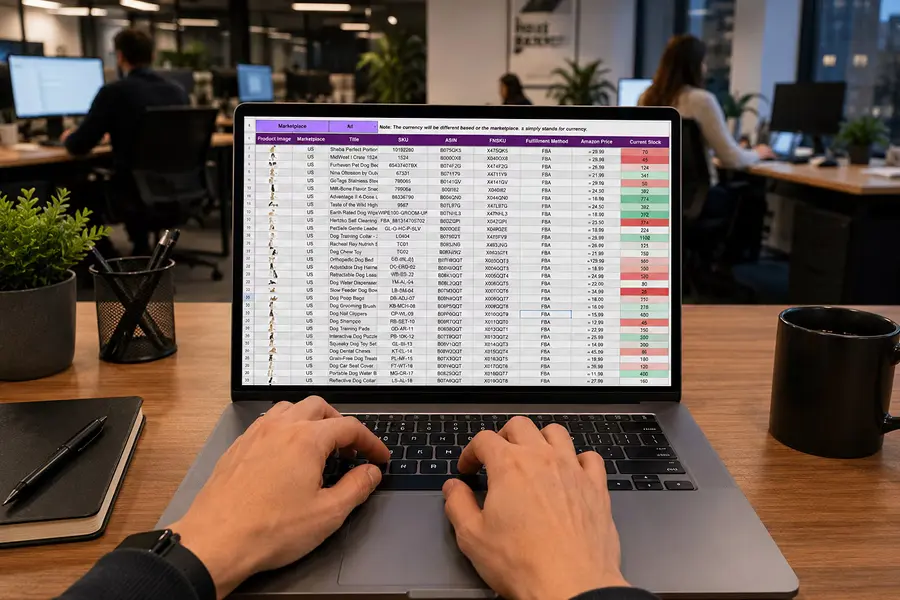
Spreadsheets are incredibly useful because they are flexible.
Someone can create one in an afternoon, add a few formulas, share it with a coworker, and immediately solve a problem that the company’s existing software does not handle well.
That flexibility is exactly why spreadsheets often grow far beyond their original purpose.
What starts as a simple tracker may eventually contain dozens of formulas, multiple tabs, macros, approval steps, color-coded rules, protected cells, customer information, pricing logic, and data used by several departments. Employees may depend on it every day to make decisions or keep work moving.
At that point, the business is no longer just using a spreadsheet.
It has built an application.
The problem is not that spreadsheets are bad. The problem is that the company may be relying on homemade software without treating it like software.
The First Sign: The Spreadsheet Contains Business Logic
A basic spreadsheet stores information.
An application makes decisions.
That distinction matters.
Suppose a pricing spreadsheet automatically changes margin requirements based on customer type, order size, product category, and available inventory. Another workbook may calculate job profitability based on labor, materials, subcontractor costs, and project status.
Those formulas are not just arithmetic. They represent business rules.
If employees depend on those calculations to decide what to quote, approve, purchase, schedule, or bill, the spreadsheet has become part of the operating process.
The more business logic it contains, the more important it becomes to understand who built those rules, who maintains them, and what happens when something changes.
Macros Are Another Clue
Macros often appear when employees have reached the limits of what they want to do manually.
Someone creates a button that imports a file, cleans up data, generates a report, copies information into another tab, or prepares a document for another department.
That is automation.
It may be perfectly effective, especially when the process is small and controlled. But when the business begins depending on those macros every day, it is worth recognizing what has happened.
An employee has effectively programmed part of the company’s workflow.
The next question should be whether that automation is stable enough for the amount of responsibility being placed on it.
What happens if the employee who created it leaves? What happens when a file format changes? Who knows how to repair the macro? Does anyone know exactly what it is doing?
Those questions are less important for a personal productivity tool. They become much more important when the macro is part of a process that affects customers, revenue, inventory, or financial reporting.
Permissions Change the Role of the Spreadsheet
Another sign is when the business starts managing who can see or change specific information.
Perhaps only managers can edit pricing formulas. Certain employees can update job status but cannot change financial information. One person is responsible for approving final numbers before the workbook moves to accounting.
Now the spreadsheet is doing more than storing data.
It has users, roles, permissions, and responsibilities.
Those are application concepts.
The business may eventually find itself maintaining a complicated system of protected tabs, passwords, hidden columns, shared folders, and instructions designed to prevent someone from accidentally changing the wrong thing.
The spreadsheet may still work, but the amount of effort required to protect it is an indication that it is performing a larger role than originally intended.
When a Spreadsheet Has a Workflow, It Is Acting Like Software
One of the clearest signs is that work moves through the spreadsheet in stages.
A salesperson enters a request. A manager reviews it. Operations updates the status. Finance checks the numbers. Someone marks the item complete.
Perhaps rows change color depending on where they are in the process. Employees filter the workbook to find what needs their attention. Comments are added to explain unusual situations. Another column shows who has approved the item.
That is a workflow.
It may not look like a traditional software application, but functionally the spreadsheet is routing work through the organization.
This can work surprisingly well at low volume. Everyone may know the rules and understand what each color or column means.
The difficulty comes when the number of users, transactions, and exceptions increases.
The system begins relying more heavily on employees remembering what to do next.
Multiple Users Change the Risk
A spreadsheet used by one employee is very different from one used by twenty.
As more people become involved, the business has to deal with simultaneous changes, conflicting versions, overwritten data, incomplete entries, and uncertainty about who changed what.
Even cloud-based spreadsheets that allow simultaneous editing do not eliminate all of these issues.
The more important problem is accountability.
If a critical number changes, can the business determine who changed it and why? If someone accidentally deletes a formula, how quickly will anyone notice? If two departments interpret a field differently, which definition wins?
Applications are generally designed with these problems in mind. They can use validation, required fields, audit histories, permissions, and controlled workflows to protect important information.
A spreadsheet usually acquires those controls gradually through human rules and workarounds.
That is another sign that the tool has grown beyond simple spreadsheet use.
If There Is a Training Manual, Pay Attention
Another useful test is how much training a new employee needs before they can safely use the spreadsheet.
If someone can open it and understand what to do immediately, the tool is probably still relatively simple.
If training includes instructions like:
“Never change these columns.”
“Only paste values here.”
“Do not sort this tab.”
“Ask Susan before changing this formula.”
“Yellow means waiting for operations, but orange means waiting for accounting.”
“Run this macro before you send the report.”
then the spreadsheet has developed its own operating environment.
The business has rules, permissions, workflows, and dependencies that exist outside the file itself.
That knowledge often becomes tribal knowledge, and the spreadsheet becomes difficult to maintain without the employees who understand how it works.
The Spreadsheet May Be More Important Than the Official System
In some businesses, the most revealing question is simple:
Which system do employees actually look at when they want to know what is happening?
The official software may contain the customer, order, or project record. But employees may open a spreadsheet when they want to know what needs attention today.
That spreadsheet may contain status, exceptions, priorities, approvals, notes, margins, and deadlines that the primary system does not show clearly.
At that point, the spreadsheet may be functioning as the operational control center even though the company does not officially consider it a system.
That matters because the most important software in a business is not necessarily the software the company pays the most for.
It is often the tool employees depend on to get the work done.
The Problem Is Not Excel
The solution is not to eliminate every spreadsheet.
That would be unnecessary and, in many businesses, counterproductive.
Spreadsheets are excellent tools for analysis, modeling, experimentation, small datasets, and temporary processes. They are especially useful when employees are still figuring out what a process should look like.
In fact, a sophisticated spreadsheet can be an excellent prototype for future software.
The employee who built it has already identified the information that matters, the calculations required, and some of the decisions the business needs to make.
The issue is whether the spreadsheet is still the right environment once the process becomes operationally important.
Ask What Happens If It Breaks Tomorrow
One of the easiest ways to determine whether a spreadsheet has become an application is to imagine that it stops working.
If the file disappeared tomorrow, what would happen?
Would one employee be mildly inconvenienced?
Or would quoting stop?
Would orders become difficult to schedule?
Would management lose visibility into jobs?
Would invoices be delayed?
Would employees no longer know which customers need follow-up?
The greater the business impact, the more the spreadsheet should be treated as a critical system rather than a casual productivity tool.
That does not automatically mean it needs to be replaced. It does mean the company should understand the risk.
Calculate the Cost of Maintaining the Workaround
The financial question is also important.
A spreadsheet may appear free because the company already owns the software used to create it.
But maintaining it can require significant labor.
Employees may spend hours importing files, cleaning data, checking formulas, reconciling versions, fixing mistakes, and manually moving information into other systems.
Managers may review work that could have been validated automatically. Employees may wait for someone else to finish updating the file before they can continue.
Those costs are rarely labeled as software expenses, but they are still part of the cost of running the system.
When that cost becomes significant, the business can compare it with the cost of replacing some or all of the spreadsheet process with more structured software.
Use the Spreadsheet as a Blueprint
When a spreadsheet has become an application, the worst approach may be to throw it away and start over.
There is usually valuable information inside it.
Look at the formulas. They reveal business rules.
Look at the columns. They show what employees need to know.
Look at the macros. They identify repetitive work.
Look at the colors and statuses. They show the workflow.
Look at the protected areas. They reveal permissions and responsibilities.
Look at the tabs employees use most often. They show which information matters to different departments.
That makes the spreadsheet a useful starting point for software design.
The goal is not necessarily to recreate it screen for screen. Some of its complexity may exist only because employees had to work around the limitations of a spreadsheet.
Instead, understand what the tool is accomplishing and design a better way to accomplish the same result.
Know When the Tool Has Outgrown Its Original Job
A spreadsheet becomes more than a spreadsheet when the business starts depending on it as a system.
It contains logic. It controls work. It has users and permissions. It automates tasks. It tracks approvals. It connects departments. It influences decisions.
At that point, asking whether the business should continue using it is not a debate about whether spreadsheets are good or bad.
It is a question of whether homemade software is still the right foundation for an important business process.
Sometimes the answer will be yes.
But when the spreadsheet becomes difficult to maintain, difficult to scale, dependent on a few employees, or expensive to operate manually, it may be time to treat it for what it has already become:
an application.